Automations
Let the busywork run itself
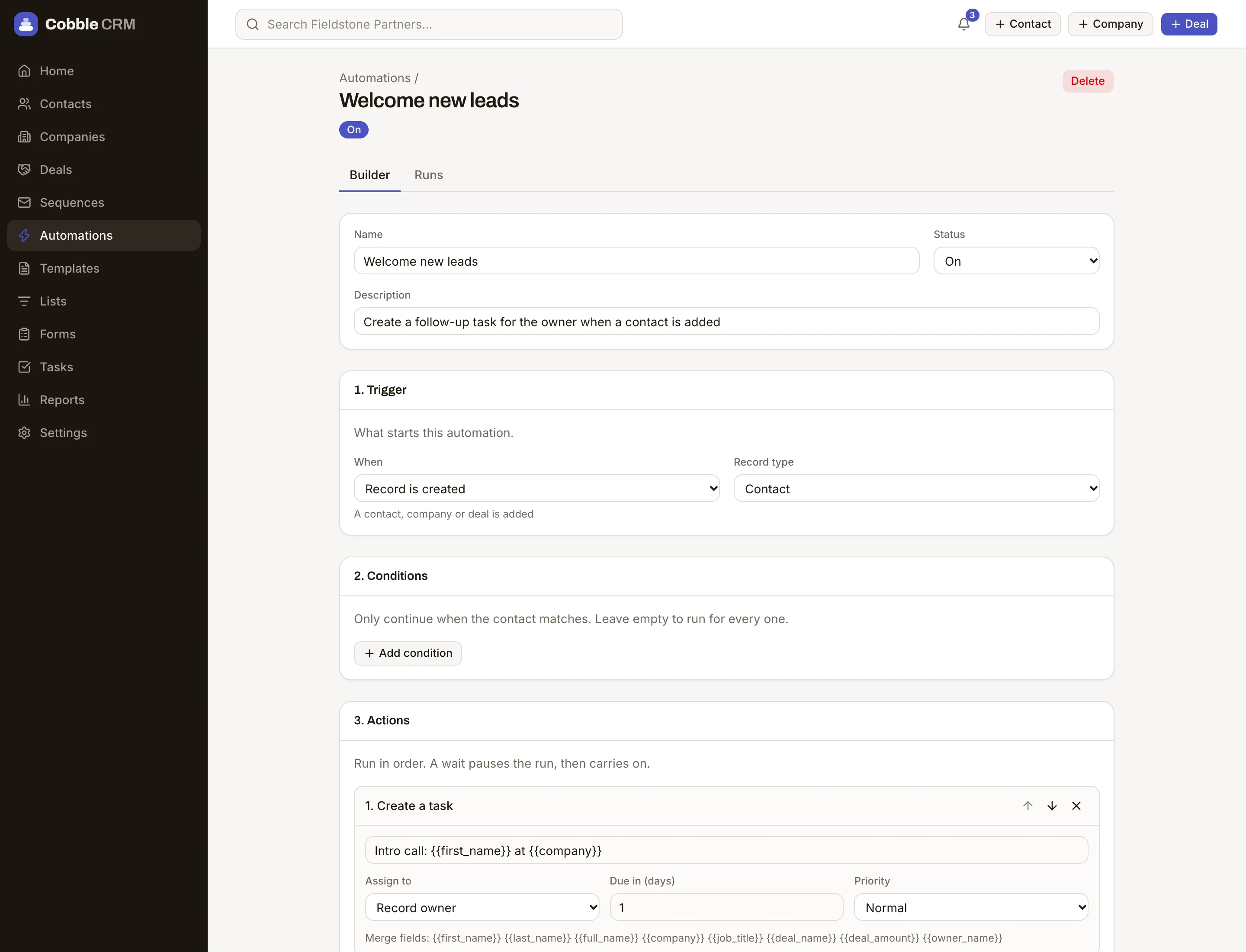
Describe what should happen when something changes, and Cobble does it every time. Assign new leads, create follow-up tasks, notify the right person, or call your own systems with a webhook.
Triggers that matter
Start when a record is created (including by a form), a field changes, a deal moves stage, a task is completed, a contact replies, or a deal's close date is near.
Conditions you control
Only act when the rules you set are true, such as a deal over a certain size in a certain region.
Actions that do real work
Assign an owner (including round-robin), create tasks, update fields, enrol in a sequence, notify people or call a webhook.
A clear run history
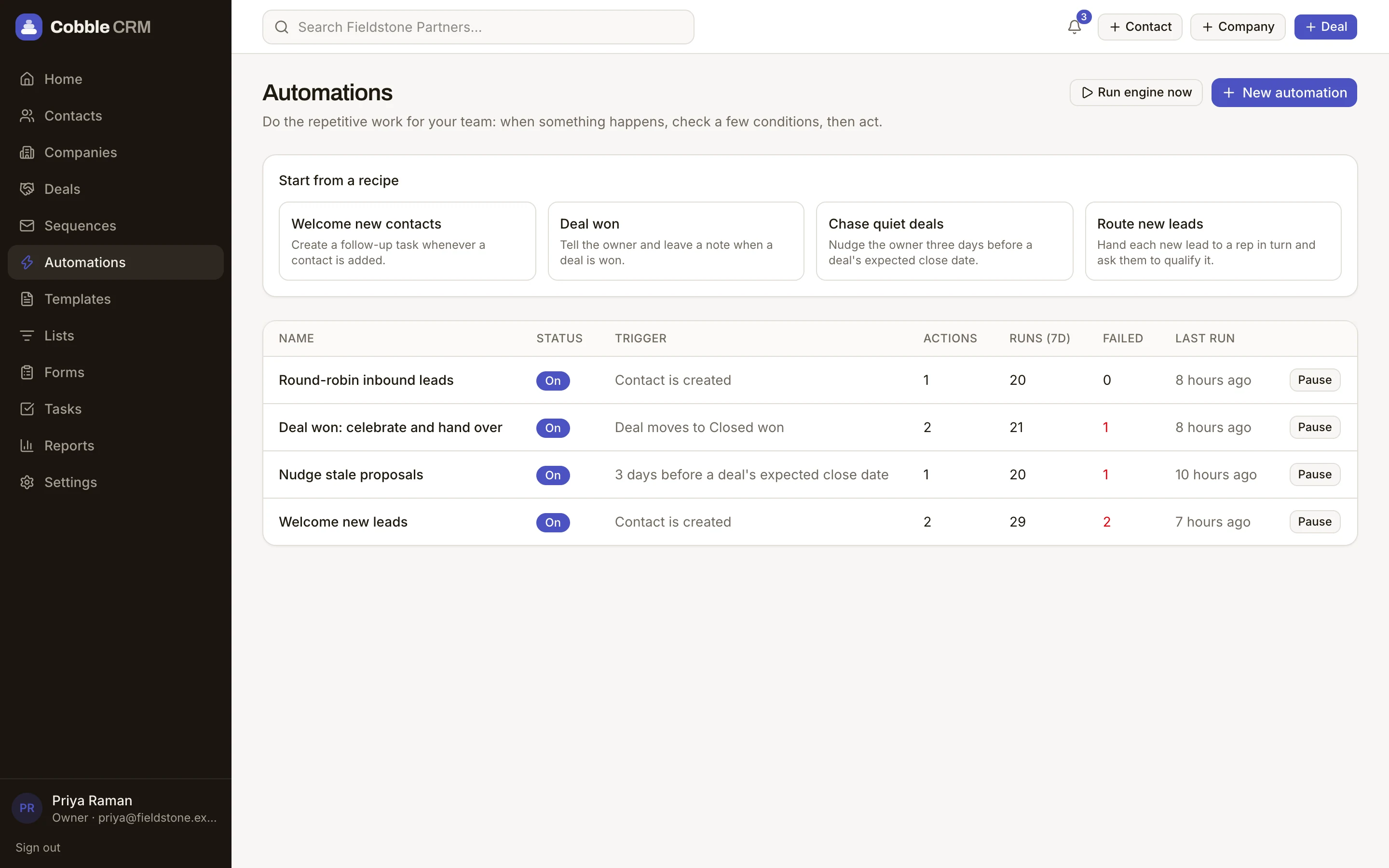
See each run, the record it ran on and whether each step succeeded.
Know what ran, and when
Every automation keeps a log of each run and whether each step succeeded, so nothing happens in the dark. Pause or edit one whenever you like.
- Round-robin assignment
- Enrol in sequences
- Notification and webhook actions
- Run history for every automation
Questions
Do I need to code?
No. Automations are built with a visual editor. If you want to call your own systems, there is a webhook action. Slack alerts for events such as a deal being won are set up separately, in Settings, Integrations.
Is there a limit?
Starter includes 5 active automations, Growth 50, and Scale and Enterprise are unlimited.
Start free. Be selling in minutes.
Try Cobble with your real pipeline for 14 days. No credit card, no setup call, no pressure.